Prebuilt Create Poll Screen
In Ospi meetings, participants can create polls to gather opinions or make decisions collectively. The ability to create polls is determined by the polls permissions set in the participant's preset.
Using Ospi's Create Poll Screen
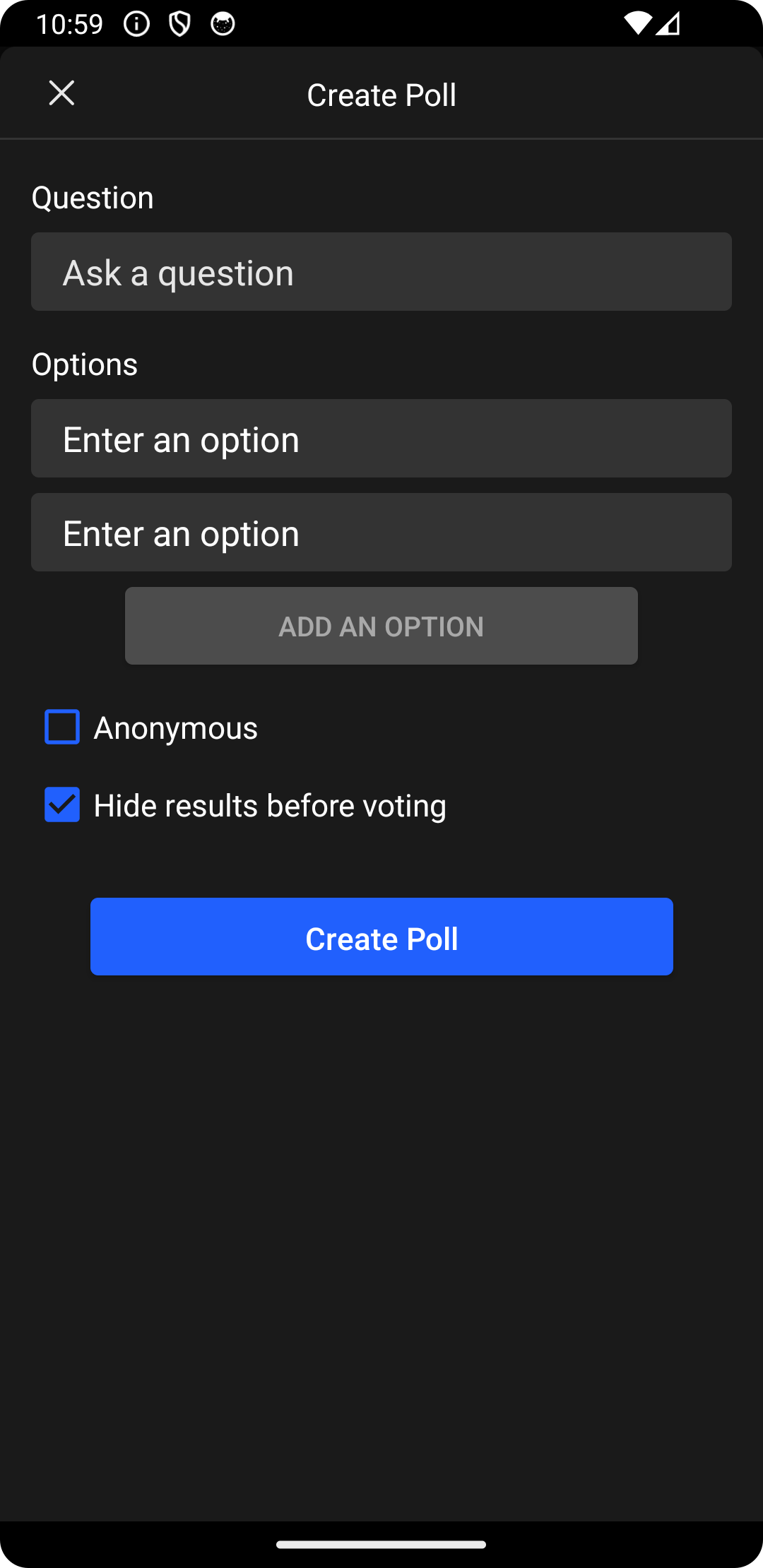
Ospi's Android UI Kit provides a user-friendly prebuilt screen, DyteCreatePollBottomSheet, for creating polls in a Ospi meeting. When using the DyteCreatePollBottomSheet, the poll creator can:
- Add more options to the poll (default is 2)
- Choose to make the poll voting anonymous
- Choose to hide the poll results before voting, keeping the vote count and voters hidden from participants
To integrate the DyteCreatePollBottomSheet into your app and allow participants to create polls,
use the provided code snippet:
import dyte.io.uikit.screens.polls.DyteCreatePollBottomSheet

val createPollBottomSheet = DyteCreatePollBottomSheet()
createPollBottomSheet.show(childFragmentManager, TAG)
Wrap Up: With Ospi's prebuilt Create Poll screen, you can easily add interactive polls features to your app, enhancing participant engagement in Ospi meetings.